June 9 2026 Quantum computing, timelapse photograhy, passkeys, sudo

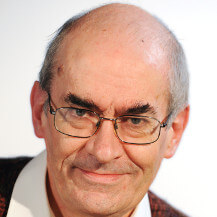
Behind him, David was printing a base for his Libre Computer Board AML-S905X-CC, otherwise known as ‘Le potato’.
David had a rant about AliExpress who had
- sent him two supposedly identical boards which were not identical; so he needed two different boxes for them, and
- allegedly sent him 50 multicoloured boots for Ethernet cables; only there were 54 but 38 were blue.
Darren drew our attention to Microsoft’s announcement about its quantum processing unit.
Bernie did a presentation on taking timelapse photographs of his apple trees.
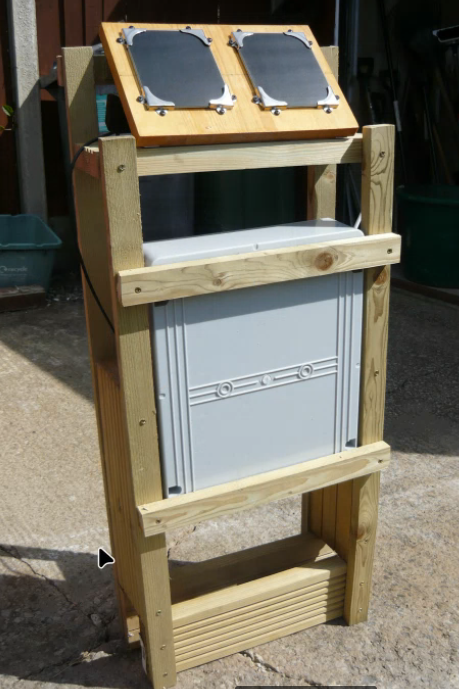
There are two 6v solar panels in series and three rechargeable lithium batteries in series supporting a Raspberry Pi 5 which has a real time clock. This shuts down after taking each photograph until the real time clock prompts it to turn on, take the photograph and set the next time for a photograph. It takes five photos a day at 10, 11, 12, 1 and 2.
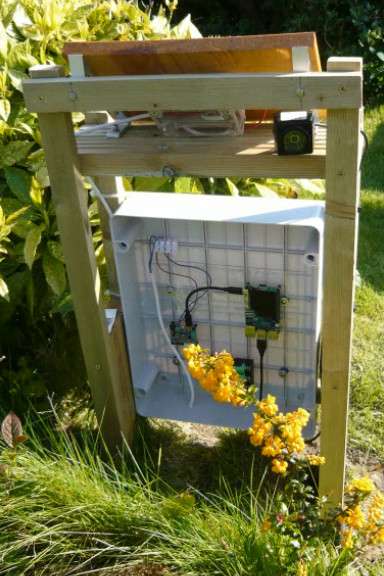
On his first run, he realised that the webcam was set for low light and the photographs were whited out; so he added some code to change the exposure time:
## Use fswebcam to take a photo
#
# fswebcam -r 4000x3000 --set "Auto Exposure=Manual Mode" --set “Exposure Time, Absolute=10" --no-banner -D 4 -S 12 --jpeg 95 filepath
#
# exposure time is 10 to 5000, so setting it at 10 is a very short time
#
# testing on laptop: fswebcam -r 4000x3000 -d /dev/video2 --no-banner -D 2 -S 12 --jpeg 95 filepath
#
##
subprocess. run([" fswebcam" + "4000x3000","--set", “Auto Exposure=Manual Mode"
		-set", "Exposure Time, Absolute=10",
		-no-banner",
		-D", "4", -S", "12", "--jpeg”, "95", str(filepath)])
def get_epoch():
                """Returns epoch in seconds when the pi should next be powered up, this is
		either at 9:55, 10:00, 11:00, 12:00, 13:00, 14:06 or 18:00 depending on which is next.
		If the current hour is 10, 11, 12, 13 or 14, takes photo.
		If the hour is one of 10, 11, 12, 13 set RTC to turn Pi on at hour plus one
		If current time is between 14:00 and 17:55:
		Set RTC to turn Pi on at 18:00
		Shut down Pi
Having adjusted the exposure time, he found that he had problems with the exposure time if it was a dark day. Steve suggested that he take three photographs each hour with three different exposure times and get the software to select the best one.
Bernie noted that the wi-fi link to the equipment was affected by rain but bluetooth worked fine; this did not matter too much as the photographs were stored on disk and so could be retrieved later.
Steve wondered whether it was insecure to use the same private SSH keys across a network. The consensus was that it was not. This led into a discussion of YubiKey and passkeys in general. Darren mentioned ssh-copy-id and Steve noted that ssh-config can set up who can use what keys.
Mike asked what advantages there were to using sudo; Steve said that there was a lot of granularity in sudo but it was difficult to set up; sudo logs who uses it but this is not relevant where there is a sole user.
sudo came in through Ubuntu; originally people had used su; sudo -i creates a login shell for the user.
Mike asked about Europe based podcasts; it was suggested that he have a look at The Europeans and European alternatives for digital products.
Past Meetings